01Practice
逐句听说训练
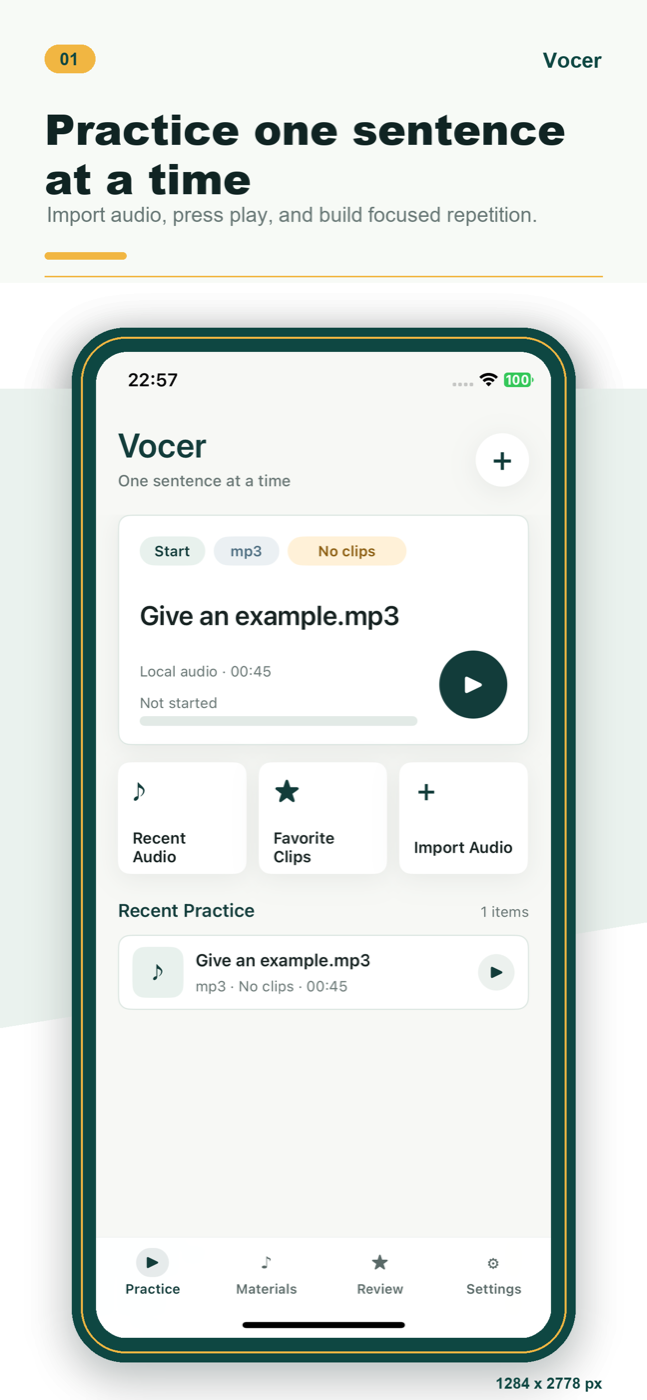
打开音频后,从当前句子开始练。播放、暂停、回退和继续练习都围绕同一个训练现场,不需要在文件列表和播放器之间来回找。
- 继续最近练习,减少重新查找时间。
- 适合听写、跟读、影子练习和精听。
Local audio practice
把一段音频,拆成真正能练会的句子。
导入本地音频,设置 A/B 片段,慢速复读,收藏关键句,再回到复习列表里反复打磨。
Practice flow
句练不把你带进复杂学习系统,只把本地音频训练这件事做清楚:找到一句、重复一句、保存一句、回看一句。
打开音频后,从当前句子开始练。播放、暂停、回退和继续练习都围绕同一个训练现场,不需要在文件列表和播放器之间来回找。
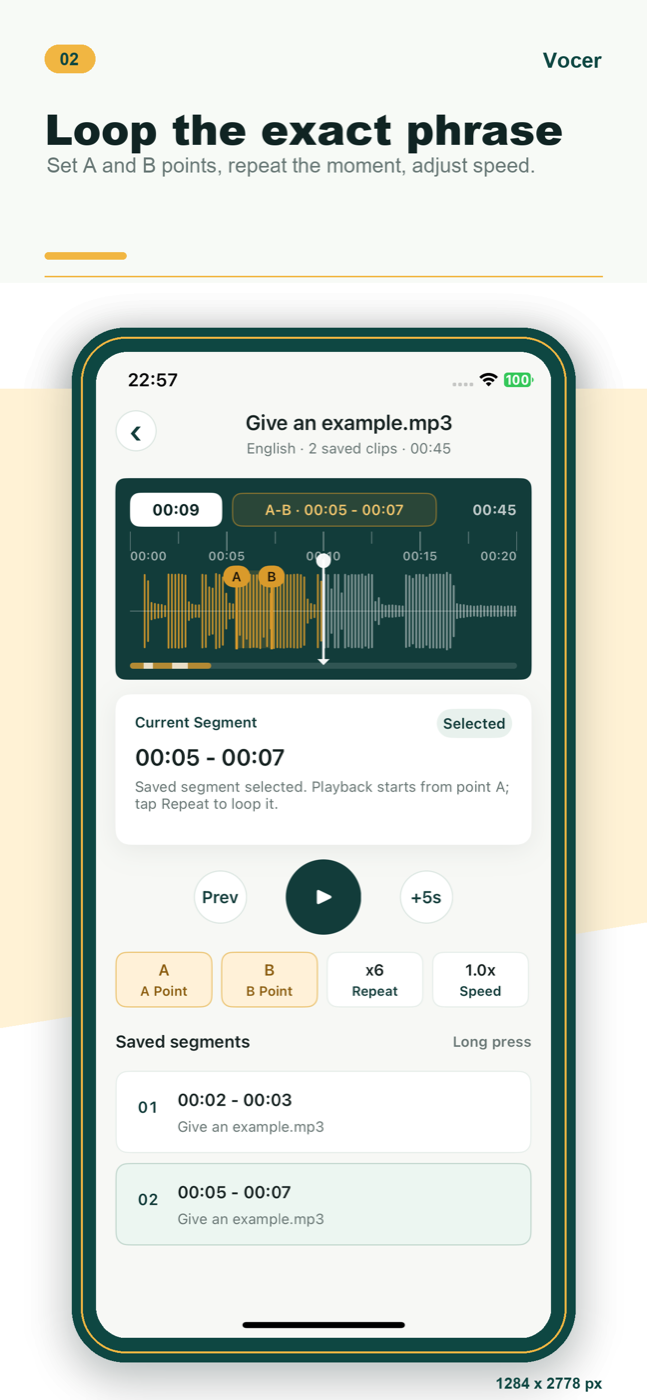
把难句的开始和结束点标出来,只重复那一小段。可以调整速度和复读次数,让耳朵真正跟上细节。
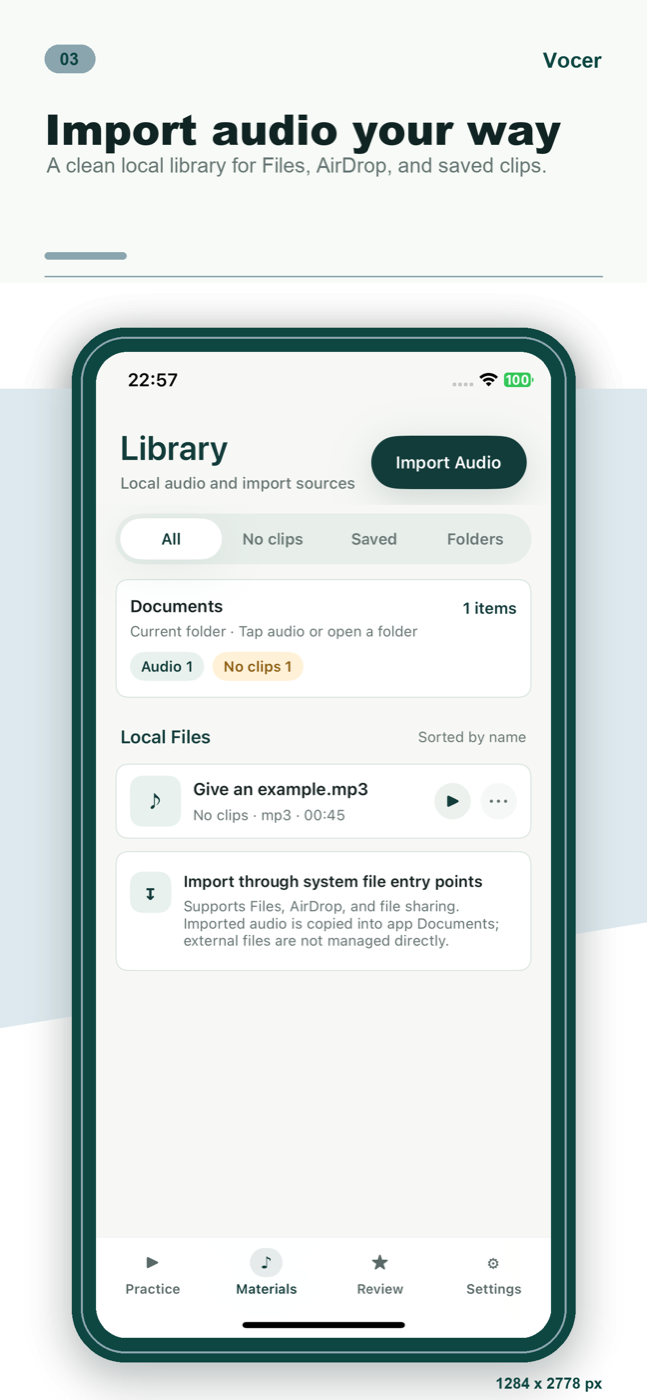
从 Files、AirDrop 或文件共享导入音频,整理成自己的训练材料。素材以本地库为中心,不把应用变成杂乱的文件浏览器。
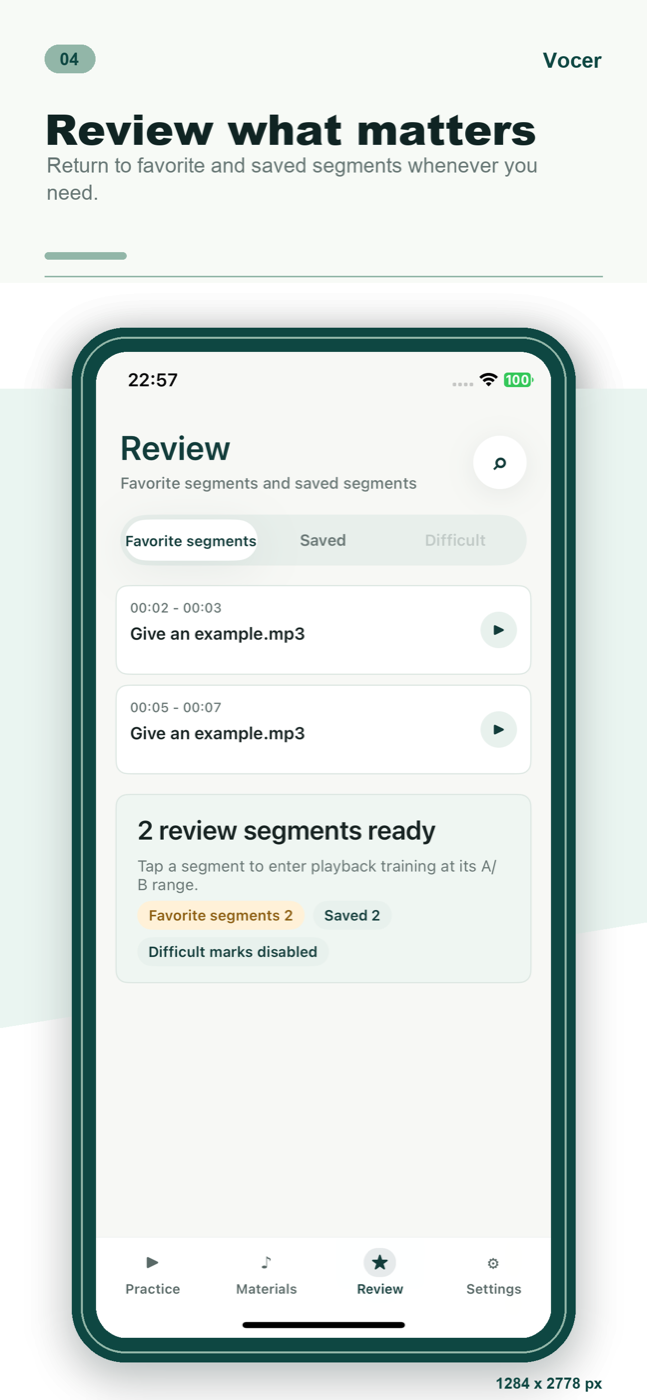
把真正值得反复练的片段留下来。复习页帮你回到收藏和保存的句段,而不是重新听完整音频找重点。
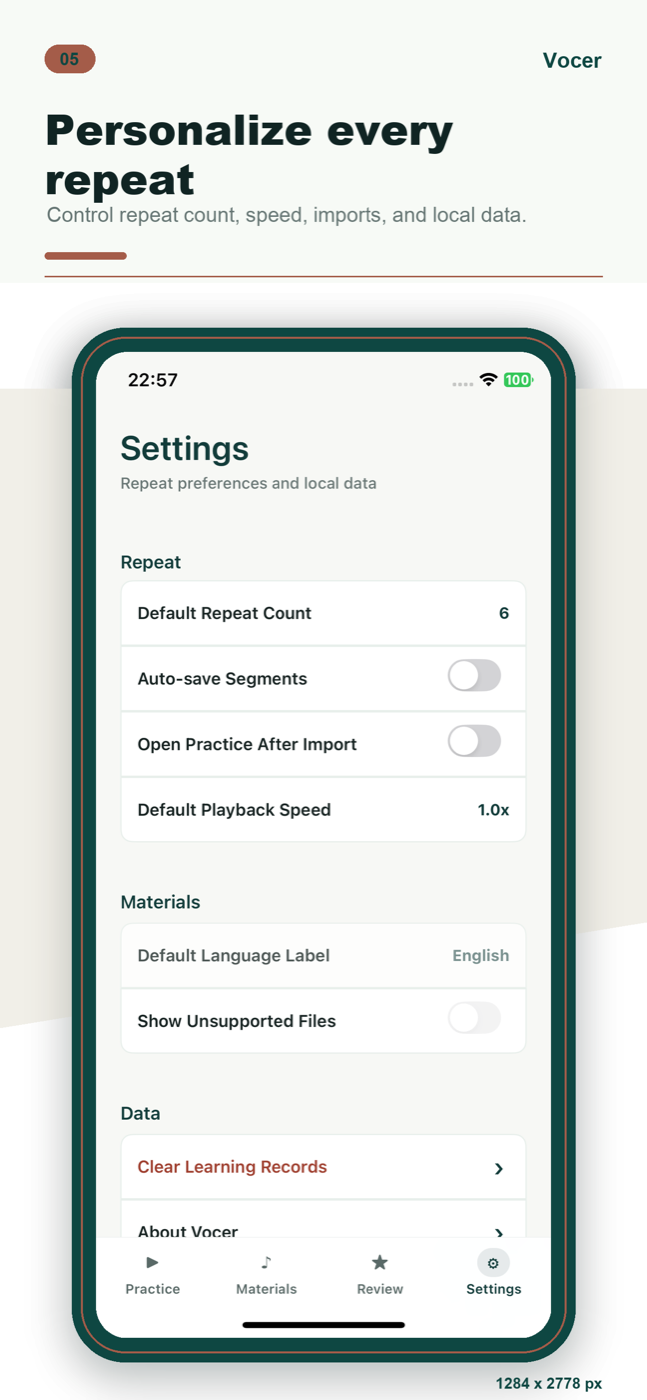
默认复读次数、播放速度、导入后是否直接练习、本地记录清理和法律入口,都放在设置里清清楚楚。
Local-first privacy
句练的核心数据围绕本地音频、播放进度、A/B 标记、收藏片段和复习记录展开。产品分析只用于理解功能是否顺畅,并过滤音频内容、文件名、完整路径和原始搜索词。
Ready to practice
下载句练,把你已经拥有的音频变成可以反复打磨的听说训练材料。
 iPhone · 本地运行 · 无需登录
Local audio practice
Practice one sentence at a time.
Import local audio, loop the exact phrase, slow it down, save the moments that matter, and return to them when you review.
Practice flow
Vocer keeps the workflow focused: find a phrase, repeat it, save it, and come back when it is time to review.
Start from the current sentence and stay in the practice context. Playback, pause, rewind, and continue are all close to the material you are training on.
Set A and B points around the hard phrase, then repeat just that moment. Adjust speed and repeat count until the details become clear.
Bring in audio from Files, AirDrop, or file sharing, then keep it in a clean local materials library. Vocer stays centered on practice instead of becoming a generic file browser.
Save the clips that deserve another pass. The review page brings you back to favorite and saved segments instead of making you scan the full recording again.
Default repeat count, playback speed, import behavior, local data cleanup, and legal links are kept clear in Settings.
Local-first privacy
Vocer is built around local audio, playback progress, A/B markers, saved clips, and review records. Product analytics are used only to understand whether features work smoothly, and app code filters audio content, file names, full paths, and raw search text.
FAQ
Podcasts, lecture audio, listening materials, speaking practice files, and local recordings you already have the right to use.
No. Vocer is a local listening and speaking practice tool focused on import, repeat loops, saved clips, and review.
Language practice often breaks down in a few seconds of connected speech, weak forms, intonation, or pauses. Short-loop repetition is more focused than replaying an entire file.
You can read the Privacy Policy and Terms of Service for data handling and use rules.
Ready to practice
Download Vocer and turn audio you already have into repeatable listening and speaking practice.
 iPhone · runs locally · no account